
// Selected Work
Channels
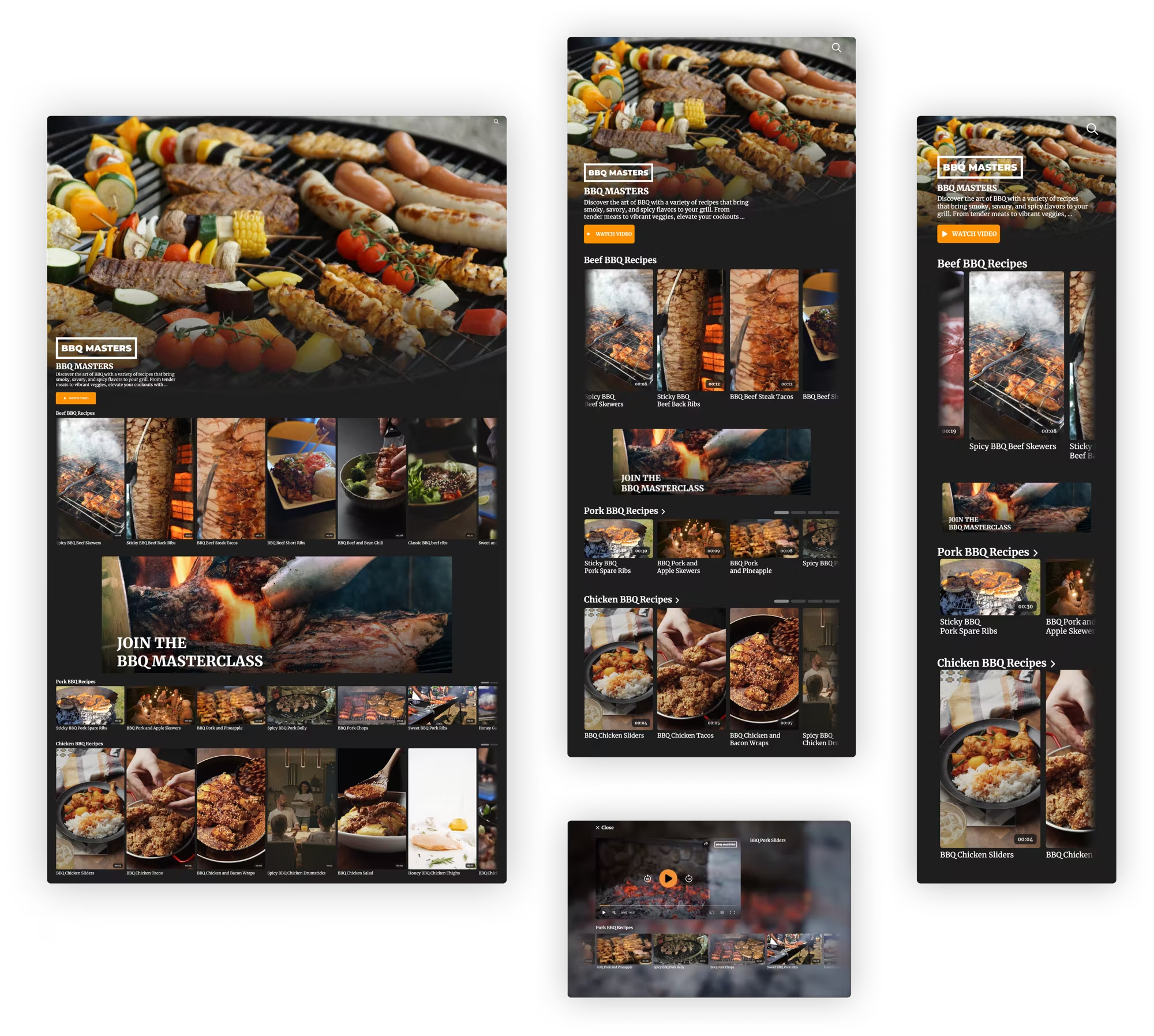
A self-service builder for streaming-style video pages that customers assemble, brand and embed in their own websites and apps.
// My role
What I did, and with whom.
- Responsibilities
- Facilitating brainstorming sessions
- User research
- Wireframing and prototyping
- Mentoring a junior designer
- Team
- Stakeholders, product owners, a product manager, front-end and back-end developers and designers.
- Methods
- Design thinking
- Usability testing
- Interviews
- Wireframes
- Crazy 8s
- Agile and Scrum
// The problem
A page builder that only a developer could use.
Channels turns a customer's videos into a branded, streaming-style page that fits into their website or app. This case covers the editor in which customers build such a page themselves, and the pages they publish.
Channels was not meeting customer expectations, so it was decided to overhaul it. The front end had received updates, but the channel editor in the platform was still outdated.
The goal was to make the editor fully self-service, so that non-technical customers can manage their own channels: choose a layout, add content, style it and embed it, without needing help.
// The thinking
Design the builder and the result together.
The work followed the design thinking method, with brainstorm sessions, interviews and Crazy 8s sketching before wireframes took over.
A channel has two sides that depend on each other: the back-end editor in which it is built, and the front-end page that visitors see. They were designed in parallel, so that every option in the editor has a clear counterpart on the page.
What the builder had to cover
- LayoutA page assembled from elements: headers, a video player, playlists and featured items.
- StylingColour theme, fonts and button styles, so a channel matches the customer's brand.
- Detail pageA page per video, with or without a blurred background image.
- DistributionPreview on desktop, tablet and mobile, and an embed code for the customer's own pages.
// Key decisions
Four design responses, and what each one came from.
- 01
Build by adding elements
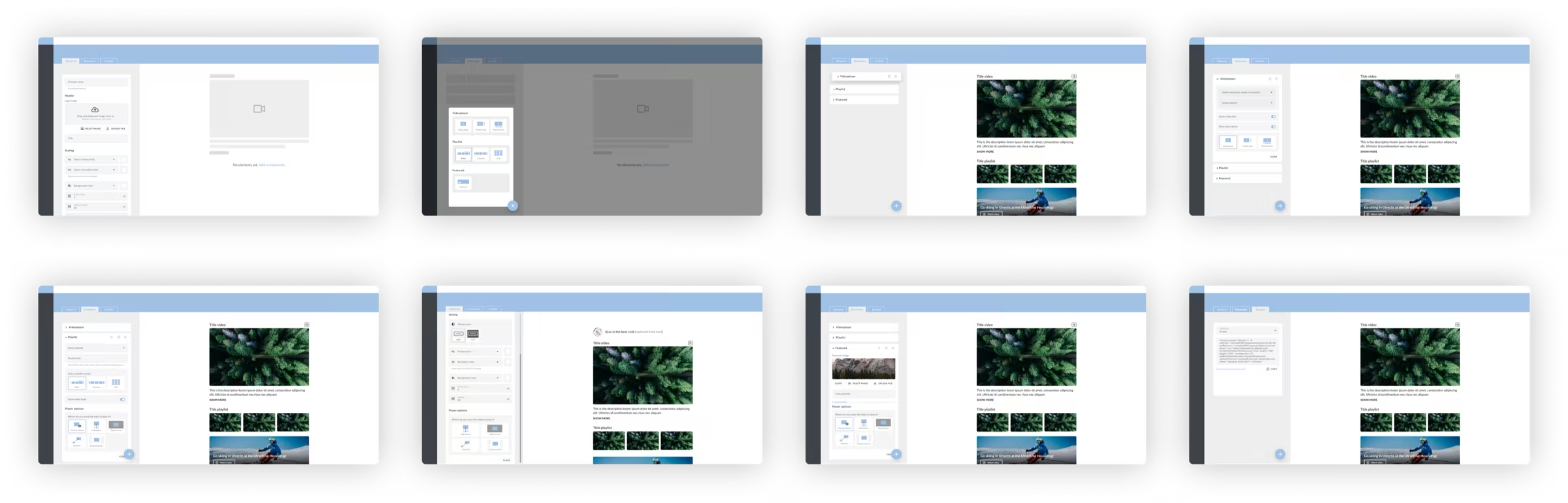
A channel is a list of elements. An “add element” menu groups them by kind (header, video player, playlist, featured) and shows a small visual of each.
- Why
- The editor had to work for people who are not technical. Choosing from pictures is easier than filling in a form, and each element can be reordered or removed.
- 02
See it on every device
A live preview sits next to the settings, with a switch between desktop, tablet and mobile.
- Why
- Channels are responsive. Customers can check how their choices behave on each screen before they publish.
- 03
Settings in the order of the job
The editor has four tabs: general styling, elements, detail page and embed, in the order in which a channel is built and published.
- Why
- Many options need structure. Following the customer's own sequence keeps each step small and puts the embed code last, where it is needed.
- 04
Enough options, still controllable
The number of components was kept manageable, with more styling options added over time: fonts, button styles and header types.
- Why
- Customers want a result that feels unique, and the platform has to remain controllable. A small set of well-designed components does both.
// The intervention
A builder customers can use on their own.
Existing components were redesigned and new ones added. The user flows were visualised, and the layouts for the front end and the back end were defined together.
Customers can create their own layout, choose from different headers and playlists, add ad space, set fonts and button styles, show the detail screen with or without a blurred background and offer search, all in responsive layouts.


// Outcome
A builder works when it offers freedom in a form that stays easy to control.
The project delivered a redesigned editor with new and redesigned components, defined user flows and front-end and back-end layouts. Customers can now build and brand their own channels.
No usage or business metrics are published for this project, so none are claimed here.
What I learned
- Offering a builder effectively to customers was challenging.
- The number of options stayed manageable, and a feature that started with few components has shown strong potential.
- More styling options were added to give customers unique experiences while keeping the platform controllable.
- A future version may deserve a drag-and-drop canvas, in the way of site builders such as Wix or Elementor.
// Contact
Have a complex product problem? Let’s make it clear.
- Emailhello@denizign.nl
- ProfileLinkedIn (opens in a new tab)