
// Selected Work
Content Protection
A new feature of an online video platform that lets customers decide who may watch their videos and live streams, by region, website or subscription.
// My role
What I did, and with whom.
- Responsibilities
- User research
- Brainstorm sessions
- Wireframing and prototyping
- Team
- Stakeholders, product owners, a product manager, front-end and back-end developers and designers.
- Methods
- Design thinking
- User interviews
- A/B testing
- Wireframes
- Agile and Scrum
// The problem
Keep content private, without making the rules a puzzle.
Content protection is a lock for video: it makes sure videos and live streams are seen only by the viewers they are meant for. This case covers how a customer builds and manages the rules that decide that.
Customers needed to keep media clips, live streams and channels private, with access limited to the right viewers. The reasons differ: rights restrictions, sensitive content or subscription rules.
The feature had to let them manage that access for all of their content or for selected parts, and to combine several conditions, such as a country, a website and a subscription, without having to understand the underlying technology.
// The thinking
Learn the vocabulary, then make it visible.
The work followed the design thinking method. Content protection comes with its own technology and terminology, so the first step was to learn how it works and which kinds of policy can be created. That made the interface easier to understand.
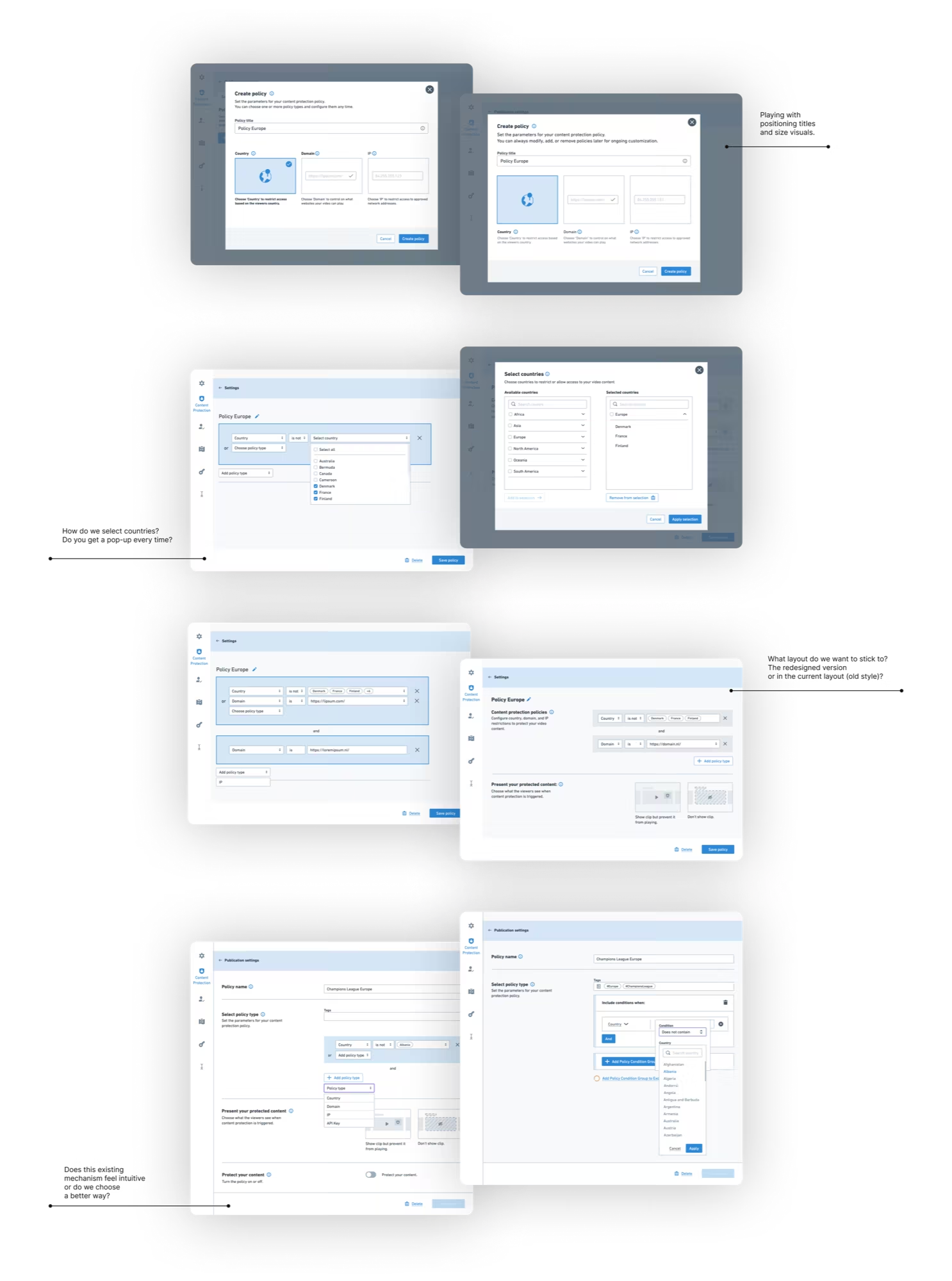
Technical conversations with developers were sometimes hard to follow. Wireframes made it easier to discuss and to understand each other, and they carried the design through several rounds of brainstorming and feedback.
What had to be understood
- Policy typesAccess can depend on country, domain, IP address, an API key or a subscription.
- RulesA policy is built from conditions that combine with “and” and “or”.
- ScopeA policy can apply to all content or only to selected clips, playlists or channels.
- PresentationWhat a blocked viewer sees: the clip without playback, or nothing at all.
// Key decisions
Four design responses, and what each one came from.
- 01
Choose the type first, with an explanation
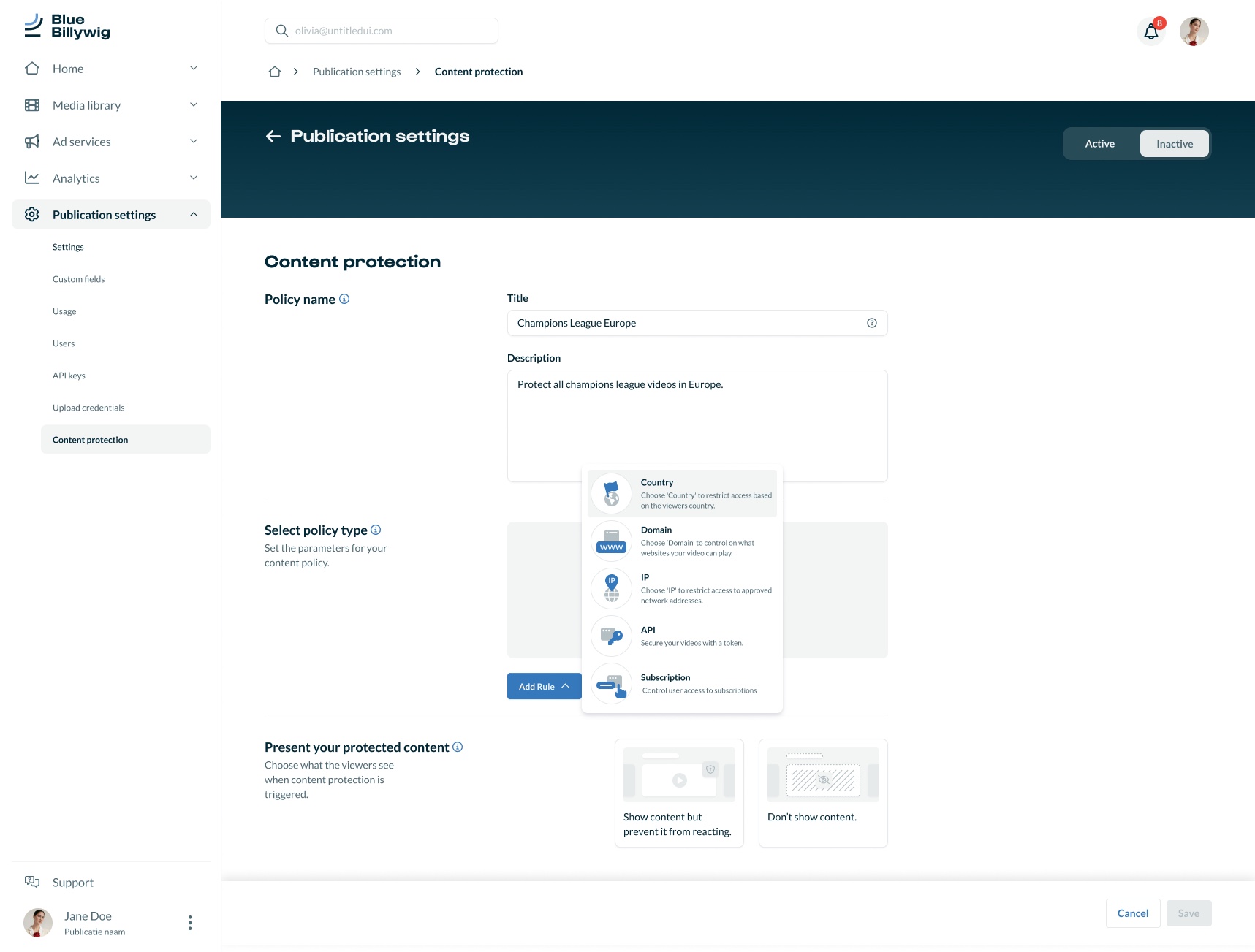
When adding a rule, a menu lists the policy types with an icon and a one-line explanation: country, domain, IP, API and subscription.
- Why
- Customers meet the terminology here for the first time. Explaining each type at the moment of choosing it makes the technology understandable.
- 02
Rules that read like a sentence
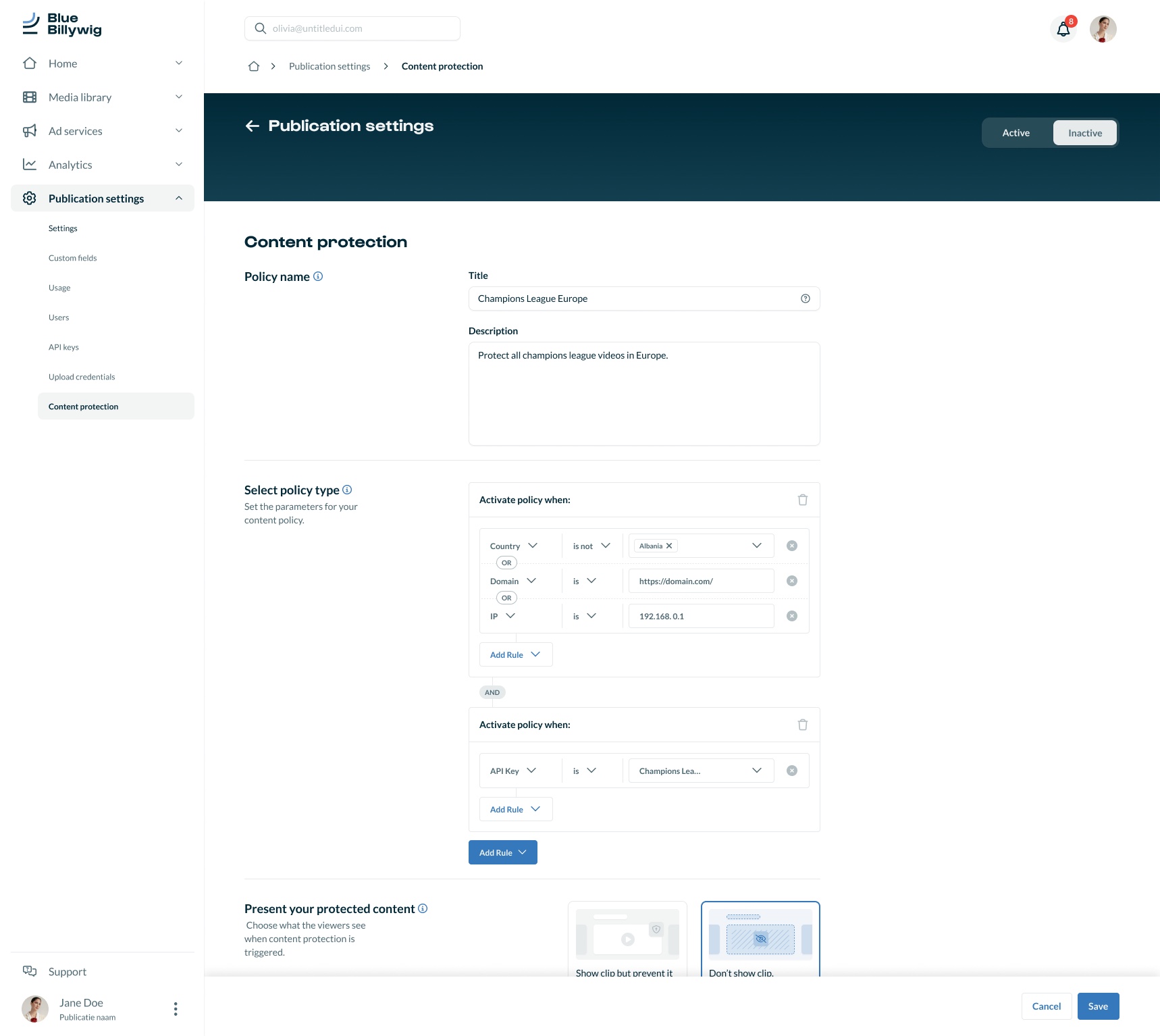
A policy reads “Activate policy when: country is not Albania, or domain is …”, with groups joined by “and”, and rules within a group by “or”.
- Why
- People think in conditions. Showing the logic in words, with the combinations visible, avoids a hidden rule engine.
- 03
Say what the viewer will see
A separate choice, “Present your protected content”, lets the customer pick between showing the clip but preventing playback, and not showing the clip at all.
- Why
- Protecting content is also an experience for the viewer who is blocked. Seeing both options side by side makes the consequence clear.
- 04
From dialogs to one page
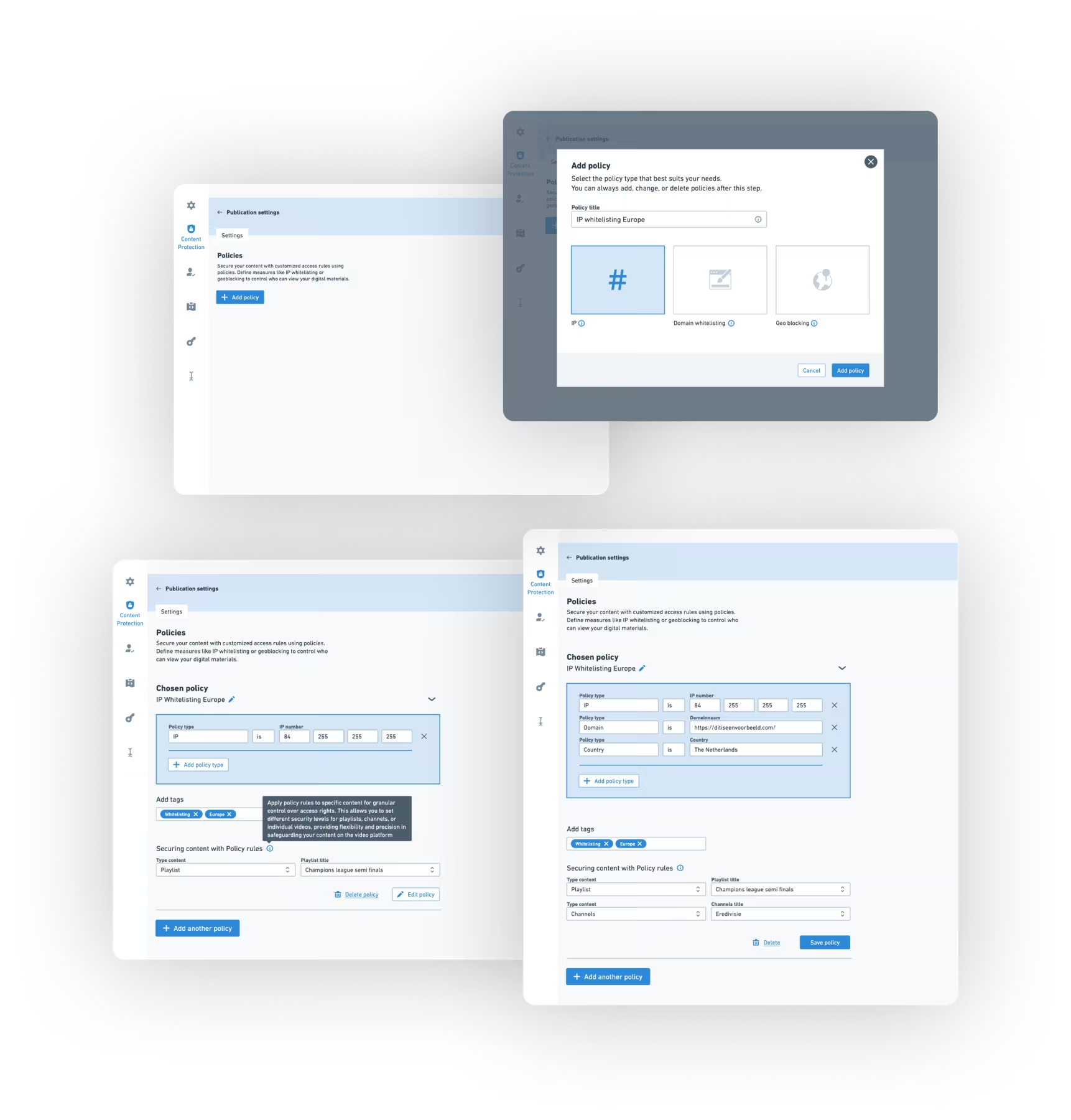
The first iterations used dialogs and the old layout. After feedback the policy moved to one page in the platform's new style, with an empty state that invites the first policy.
- Why
- Feedback questioned whether the existing mechanism felt intuitive, and whether to keep the old layout. One page keeps all parts of a policy in view.
// The intervention
A policy builder that explains itself.
The result is a single page on which a customer names a policy, builds its rules, chooses what viewers see and switches it on or off. An overview lists the created policies, the content they apply to and their status.
The designs were iterated with colleagues in feedback moments and built in Figma in the platform's new look.


// Outcome
Complex technology becomes usable when its vocabulary is explained at the moment someone needs it.
The project delivered a redesigned way to create content protection policies, with customisable rules, enhanced security features and a layout that fits the platform's new look. The feedback it received was positive.
No adoption, support or business metrics are published for this project, so none are claimed here.
What I learned
- Learning how content protection works, with its technology and terminology, made the interface more intuitive.
- Wireframes made technical conversations with developers easier to follow and to discuss.
- Involving the team in every stage of the design, and getting enthusiastic feedback, helped to create something valuable for the end user together.
// Contact
Have a complex product problem? Let’s make it clear.
- Emailhello@denizign.nl
- ProfileLinkedIn (opens in a new tab)